Welcome to a web app 11 years in the making
We're
- small,
- mighty,
- independent,
- focused,
- transparent,
- secure,
- reliable.


We're not
for everyone.
We're launching with a single tool. No promises of dashboards, chatbots, webinars, "book a demo" or "contact us" enterprise tiers.
- 01Support comes straight from the developer.So it'll be a bit slower.
- 02You run reports yourself.Open a shot when you have a job to do.
- 03Nothing syncs automatically every night.Data is fetched when you ask for it.

We won't ram AI down your throat.
It's an enhancement, not a goal. You have full, per-account control. Our AI policy
123-456-7890312-904-1188720-115-3302Pay asyou go
Big-box tools have their place, but it's common for 90% of their value to come from 10% of their features.
And they're expensive: $100–$1,000 a month is normal. You pay for 100% of the tool, every single month, even if you never sign in.
That might suit agency behemoths, but most of us just want to pay for what we use.
It's the gym membership trap in digital form.Their business model works best if you sign up and never go.
Top up
No rush. You've got 12 months to spend your credit.
Subscribe
If that suits you, but we don't recommend it for most.
Either way, you only pay for what you use.
- No lock-in
- No feature paywalls
- No spend creep
Pay as you go is pretty cool.
- Spending a week in Ibiza?Pay nothing.
- Caught the flu, taking some bed rest?Pay nothing.
- The account looks good, and you want to leave it alone for a while?Pay nothing*
* Well, you could run reports to keep an eye on things, so perhaps "pay very little" is more apt.
Proud to
cost money
(no "free" here)
Apps cost money. Who pays for free plans and free trials? You do. Paying users subsidise free users, and we'd rather you just paid for yourself.
This also keeps us sustainable. "Free" is great for fast growth, but we're here for the long haul.
Slow is smooth,
smooth is fast.
The power
you need.
Small-but-mighty tools (we call them shots), each doing one job well. On your terms.
We're starting with a single shot, and we'll be adding more very soon.
Our first shot: Negative keywords
The great, great, great, etc. grandchild of a dusty old Google Ads script.
Ah, scripts. Scripts are great. They're free, fairly powerful, they run on schedules, and did I mention free? This tool is available as a script, in fact, and it's had thousands of users over the years. We even made a hybrid web app/script.
So why this? Because it's better. More features, a carefully crafted UI, algorithms and tech designed to run 100x faster. No installation, no copying and pasting, no qualms.
How it works
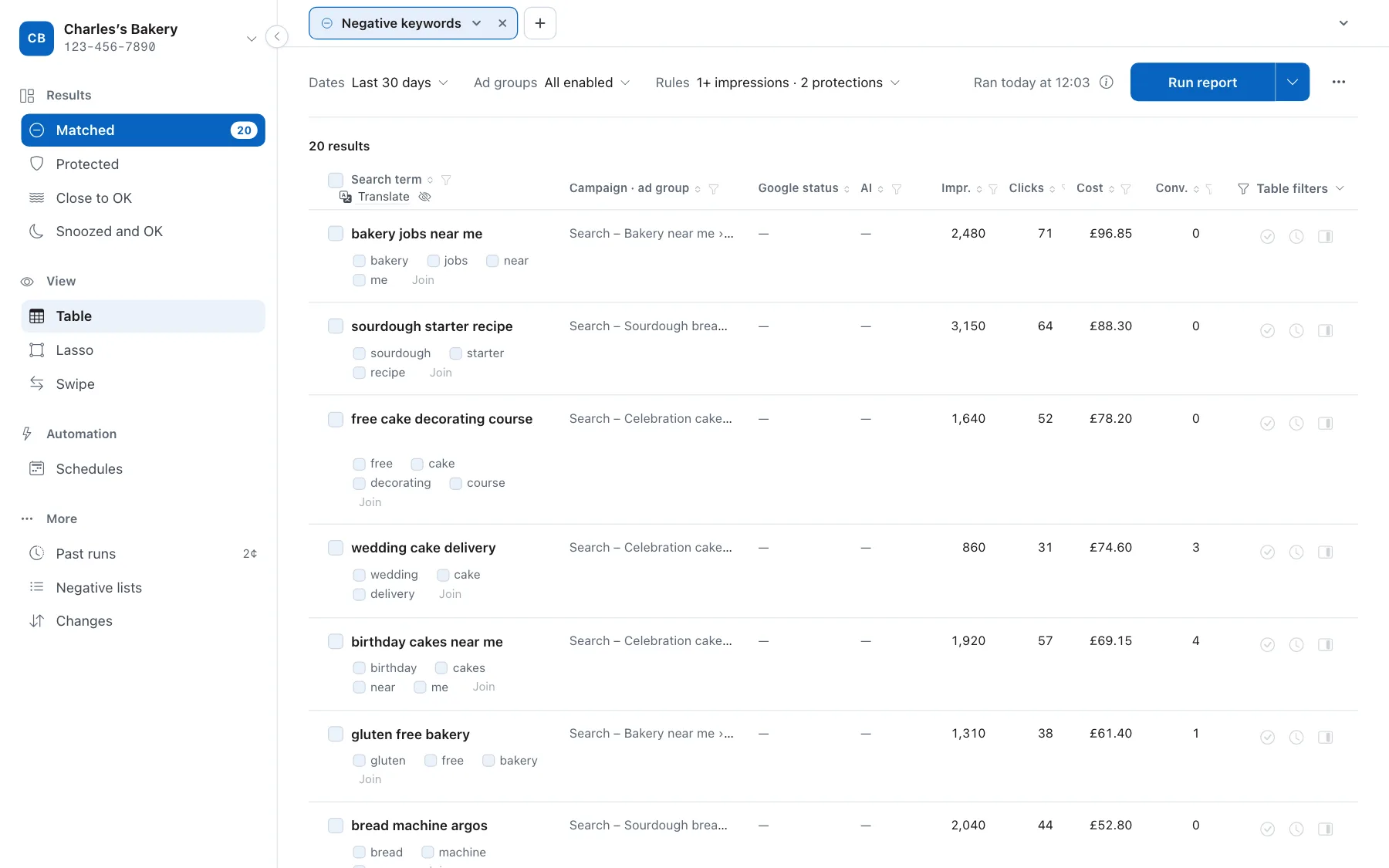
- Pick an account, set up your rules. We'll fetch the search terms that match your rules.
- Your rules decide what shows. For example, terms with clicks but no conversions, or terms that have nothing to do with your keywords.
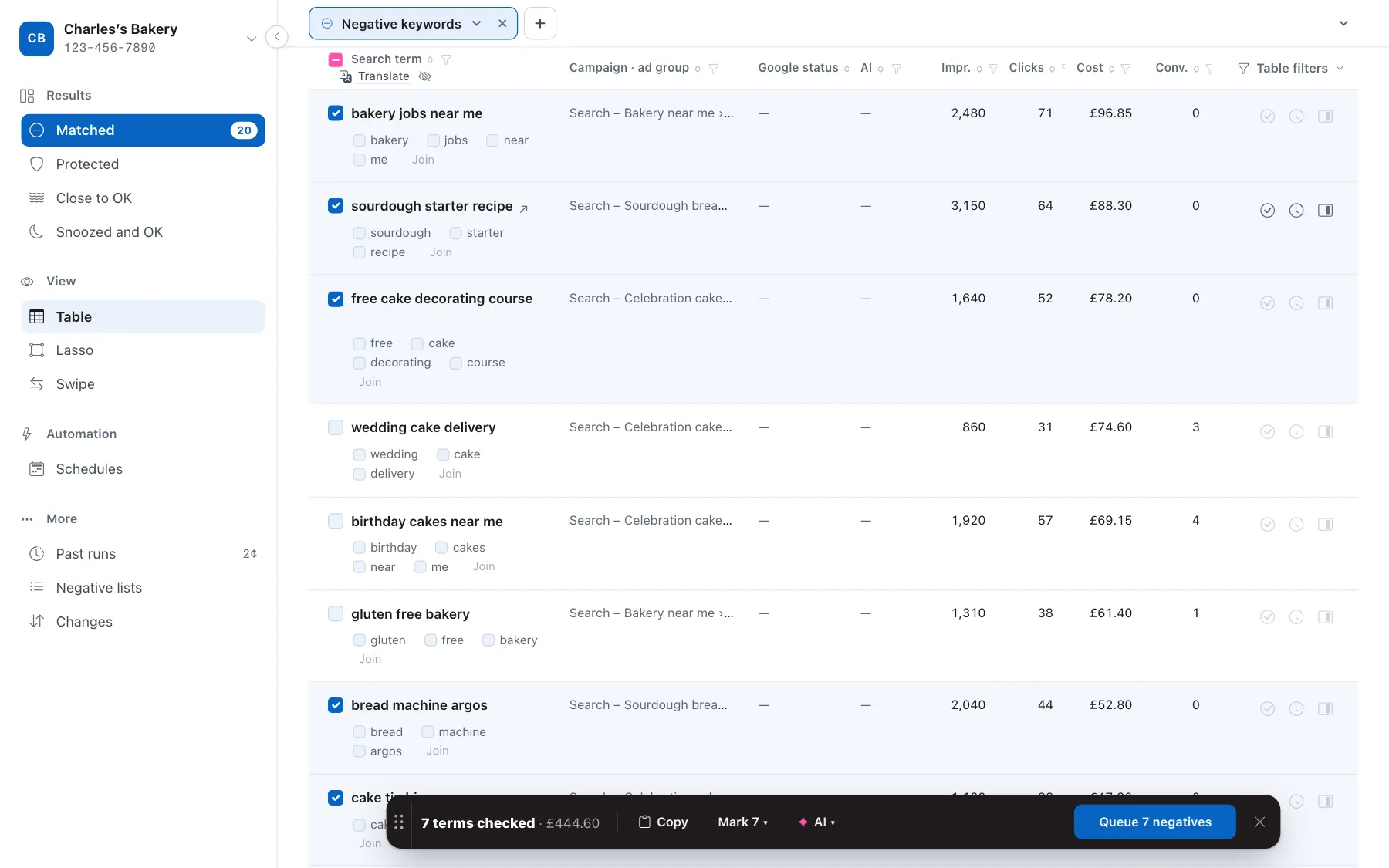
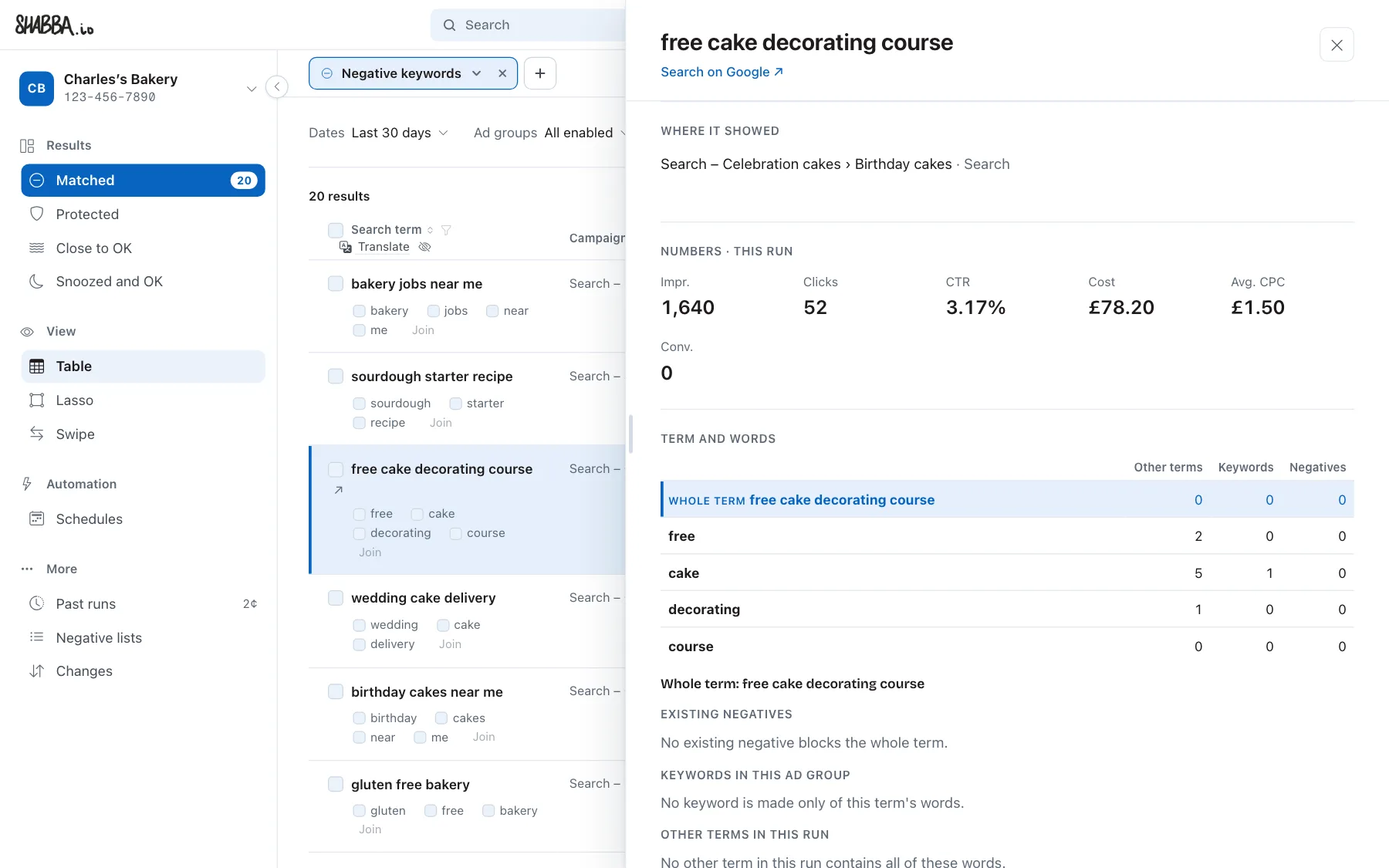
- You review. Check a whole term, or just the word that's wrong. Open any term to see where it showed, what it cost and which keywords sit beside it. Snooze a term, or mark it as OK so it doesn't come back.
- Queue changes. Changes get added to a queue, then only get added once you approve them. Looking for a report-only experience? Turn on preview mode.
Always learning.AI, if you like.
Our tools are designed to work the old fashioned way first. AI is an optional enhancement, not a goal. Here, AI can analyse the search terms and make suggestions. You decide what to do with those suggestions, and the AI keeps improving over time.
What it looks at
Each search term is compared with the landing page, keywords, and ad copy. The AI makes a suggestion based purely on relevance, and you can choose how aggressive you'd like to be.
Always learning
AI can't get everything right the first time, so you have the option to give suggestions the thumbs up (or down) then it knows for next time.
Always your call
It never makes a change by itself. Suggestions sit beside the term, the same as your own checks, and nothing reaches Google Ads until you queue and approve it. Switch AI off for any account and the tool works exactly as it did before.
But that's not all.
A few more things you can do.
- Manage negative keyword lists.Create, edit, remove, everything.
- Add positive keywords.Because sometimes search terms look good.
- Schedule runs.Including full automation, if you like.
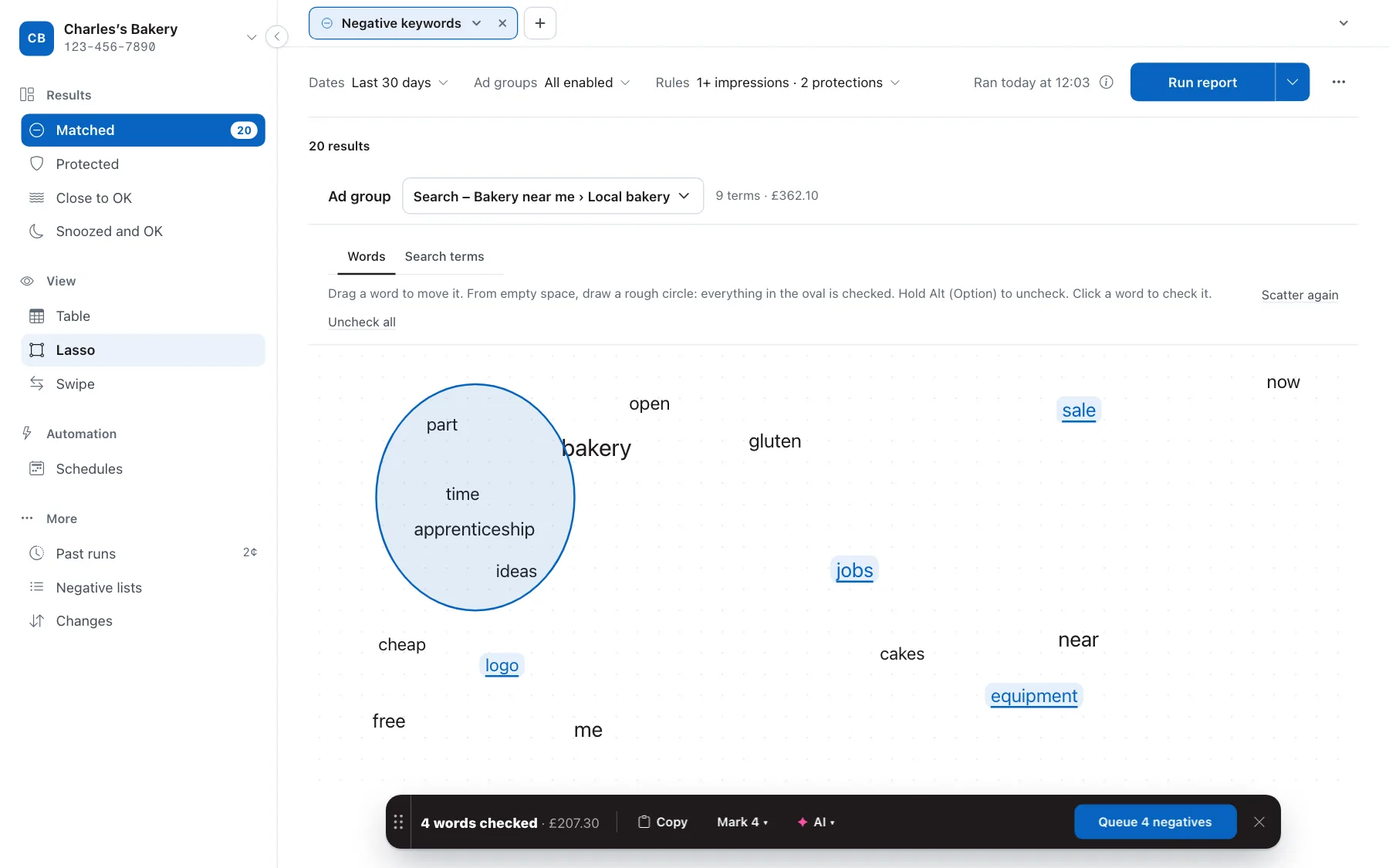
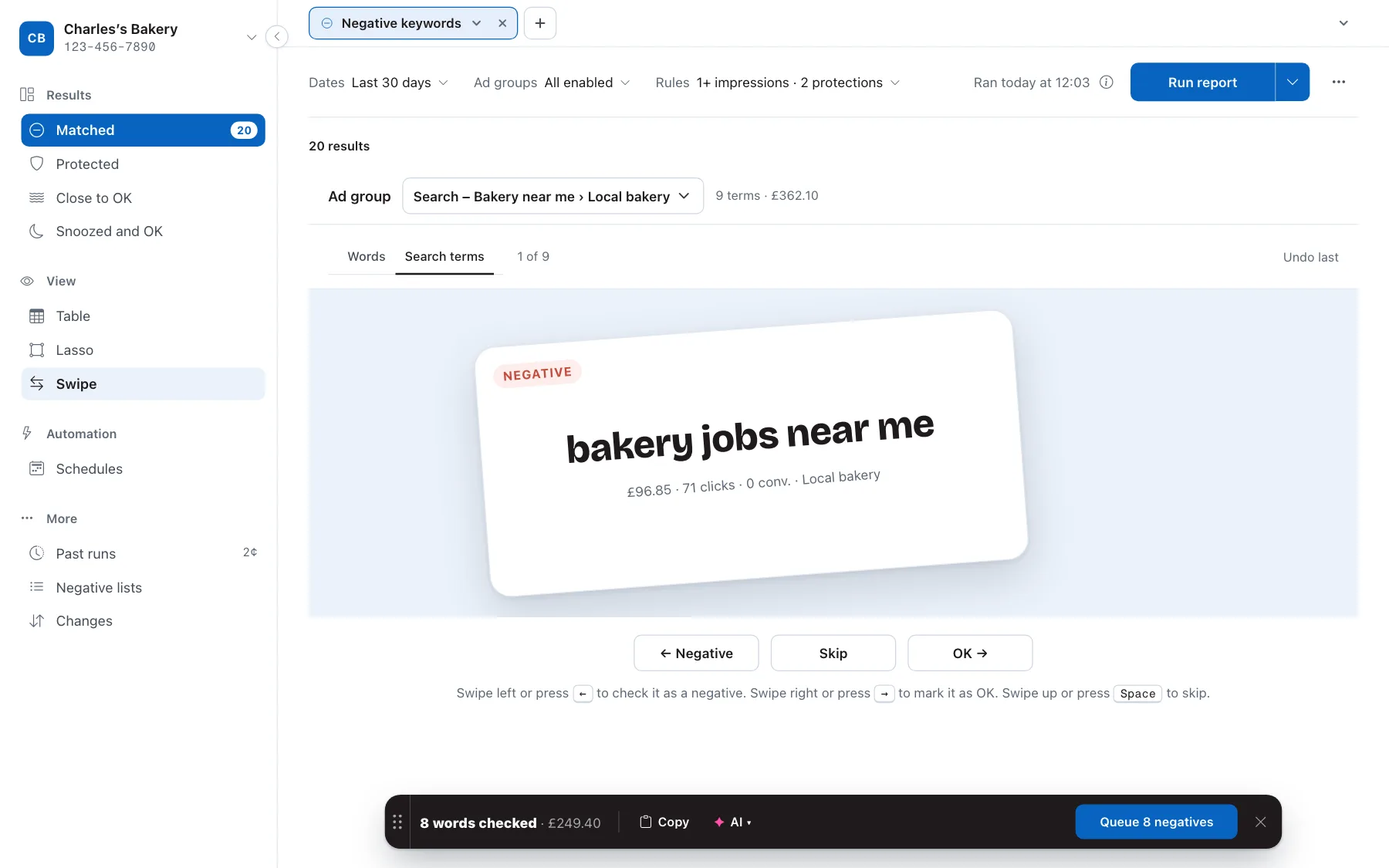
- Lasso or swipe.Draw a loop round the words you don't want, or swipe through terms one at a time.
- Snooze or mark as OK.Put a term aside for later, or tell it never to come back.
- Translate.
- Share credits.One balance for your whole team.
- Connect Slack.Get run results where you already work.
- Email notifications.Hear when a run finishes, finds something or fails.
- Work across multiple tabs.Keep several shots and accounts open side by side.
- Undo changes.Changed your mind? Take it back.
- View past runs.Open any earlier run and its results again.
- Make notes.Keep your own notes alongside your accounts.
Let's talk brass tacks.
I know, "tacks" not "tax". Who'd have thought.
You pay for what you do, whether it's running a report, making changes or running AI analysis. Specific tool costs are published and might, for example, cost $0.05 minimum then $0.02 per 1,000 rows. Changes are cheaper, and AI costs whatever the AI costs + 50%. In return, we'll re-use results wherever possible which saves a lot of money.
- Choose pay-as-you-go.
- Choose 5¢ runs.
- Choose 12-month credit expiry.
- Choose cancel-in-a-click.
- Choose transparency.
Choose a developer owned and operated app, 11 years in the making.

